The terminal UI#
Running micromux with no subcommand opens the TUI for the current project. It’s the primary way to watch and steer a stack.
Layout#
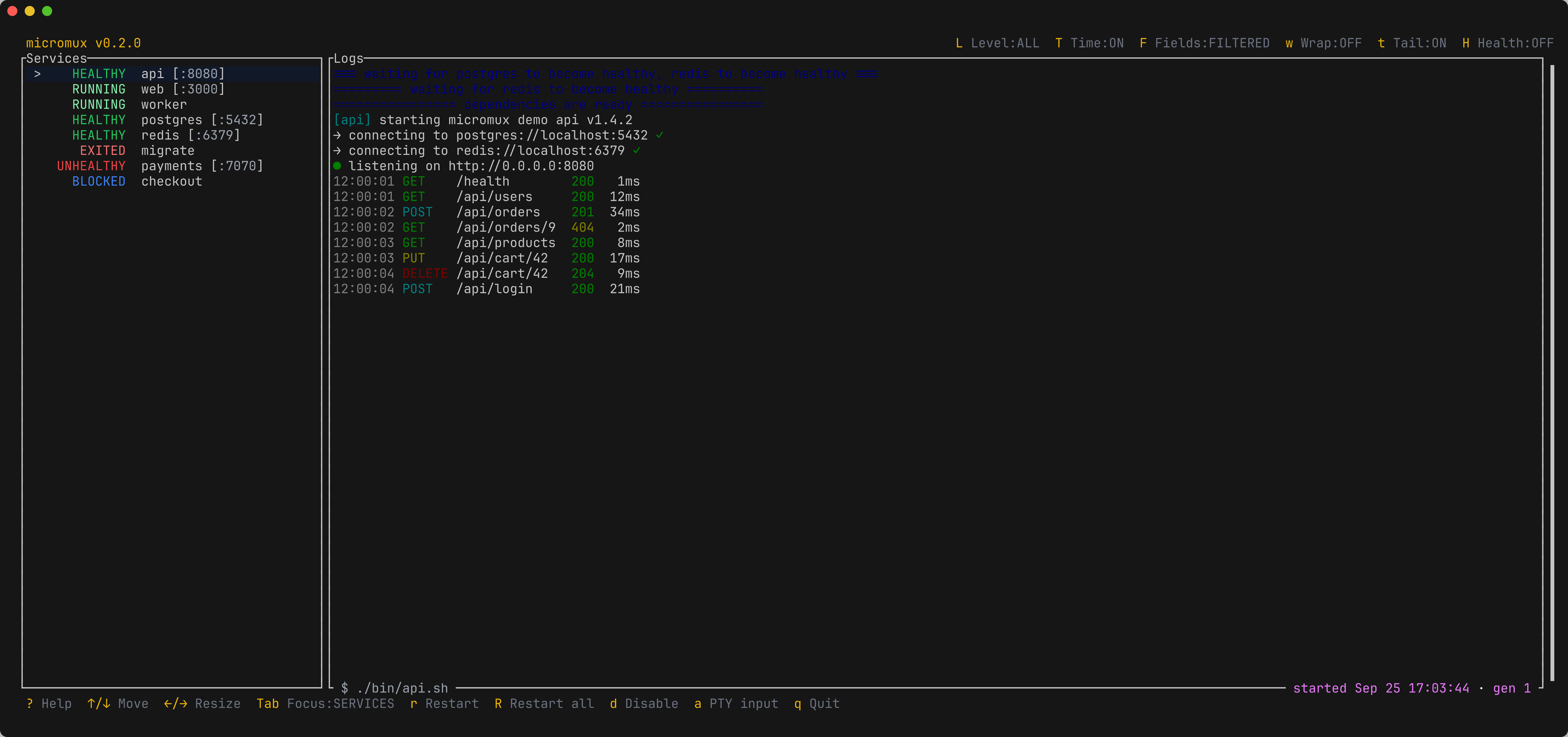
- Sidebar — every service, one row each, showing its lifecycle state: pending, blocked, starting, running, healthy, unhealthy, exited, or disabled. The selected row drives the panes on the right.
- Log pane — the selected service’s live output, annotated with the lifecycle transitions that stall it. ANSI color and interactive/redrawing output are supported.
- Healthcheck pane — toggled with
H, it shows the selected service’s latest probe: the command, its exit status, and its output.
Keybindings#
The header’s right side lists the view keys, which change only what the panes show, with their current state. The footer lists the keys that move around and act on services. Both wrap onto extra rows when the terminal is too narrow.
| Key | Action |
|---|---|
j / k, ↓ / ↑ | Move the selection |
r | Restart the selected service |
R | Restart all services |
d | Disable / enable the selected service |
a | Enter PTY input mode — send keystrokes to the service (exit with Alt+Esc) |
Tab | Move focus between panes |
H | Toggle the healthcheck pane |
w | Toggle log wrapping |
t | Toggle follow-tail (stick to the newest logs) |
L | Pick the selected service’s log level threshold (ALL, DEBUG, INFO, WARN, ERROR) |
T | Toggle timestamps on the selected service’s structured JSON log lines |
F | Toggle the selected service’s fields that logs.fields hides |
? | Show every key binding (close with Esc) |
q / Esc | Quit |
Restart, disable, and enable all go through the control plane, so they respect dependency gating and restart policy.
Filtering structured logs#
For services that emit JSON logs, the log pane can show less than the service emits without losing anything:
- Level threshold —
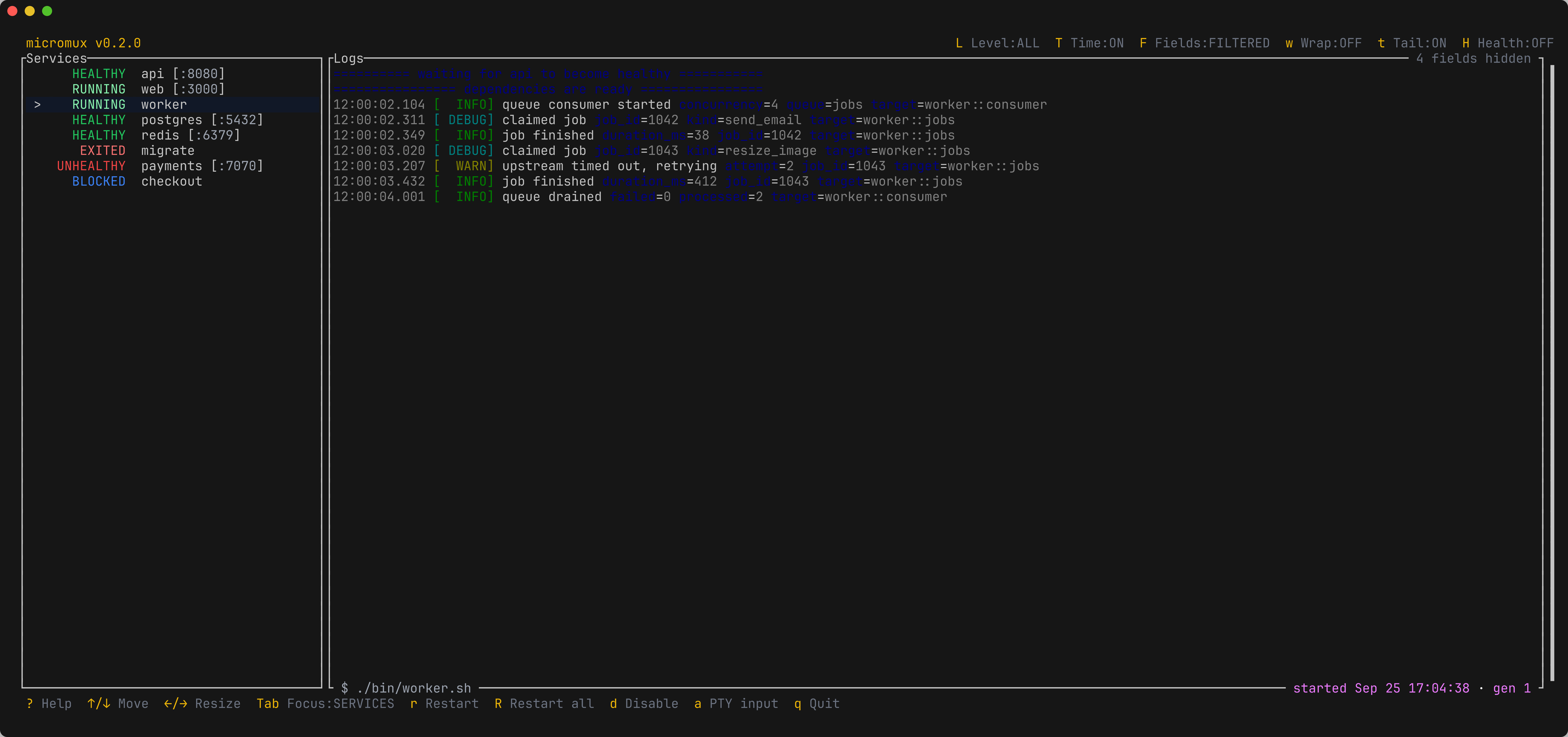
Lopens a picker for the selected service. Structured records below the chosen level are hidden; lines without a recognizable level, such as build output and panics, always show. The initial threshold comes fromlogs.level. - Timestamps —
Ttoggles a local-time timestamp at the start of each structured line of the selected service. Records without their own timestamp show when micromux captured them. The initial state comes fromlogs.timestamps. - Hidden fields —
Fshows or hides the fields thatlogs.fieldshides for the selected service. The initial state comes fromlogs.filter_fields.
The logs pane’s top-right corner names any active filter, such as level ≥ INFO · 4 fields hidden. These settings only shape the display: micromux ctl logs and the MCP log tools always return every record and field.
Sending input to a service#
Some processes want input — a REPL, a prompt, a dev server waiting on a keypress. Press a to enter input mode: keystrokes are forwarded to the selected service’s PTY until you leave input mode with Alt+Esc.
Disabling on the fly#
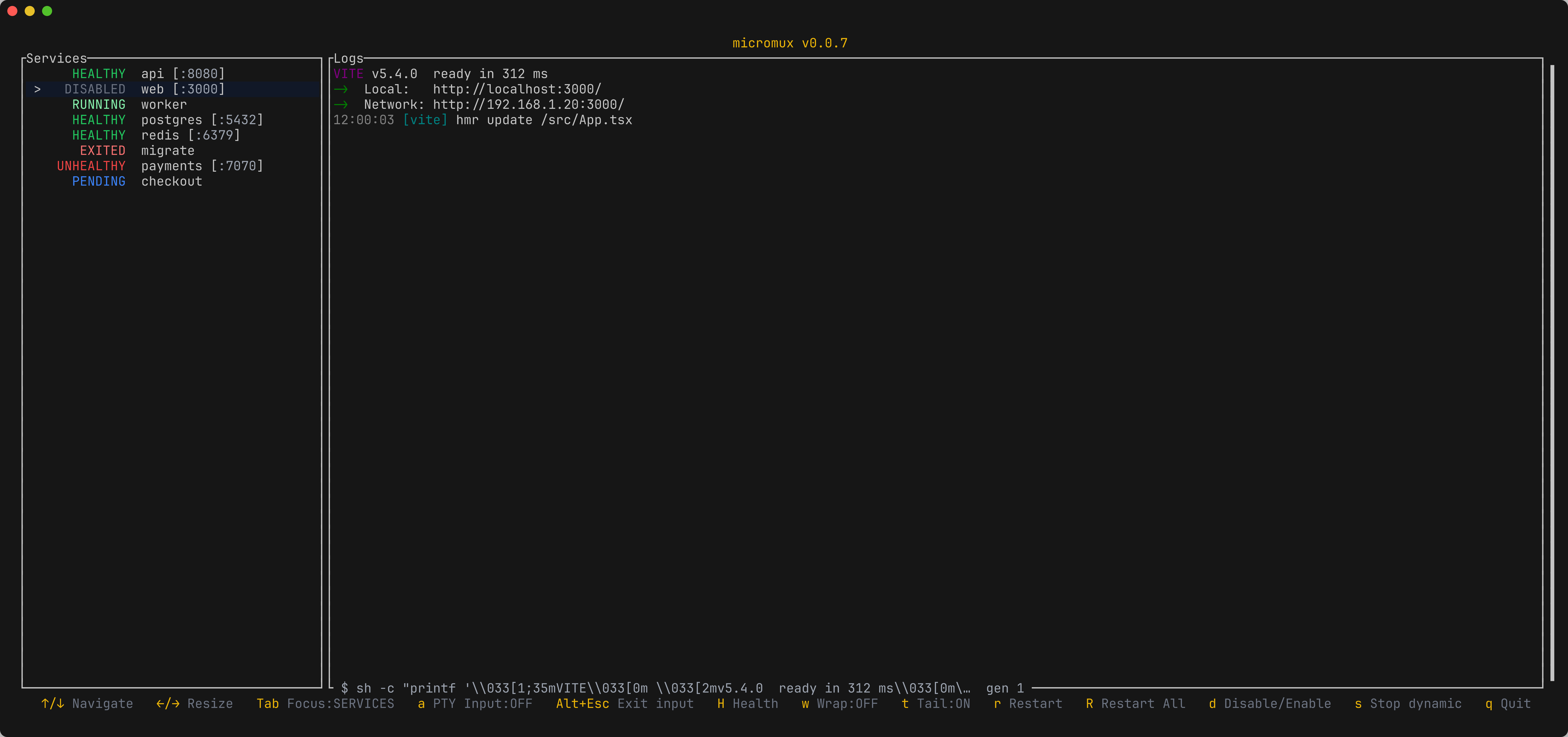
Press d to disable the selected service: micromux stops it and its row turns gray, while its captured logs remain for inspection. The log pane turns gray with it: every color becomes a shade of gray of its own brightness, so a progress bar or a highlighted row keeps its shape while nothing looks live. Press d again to re-enable and start it.
Those preserved logs would otherwise look frozen, so micromux marks each transition in the log with a blue rule — === service disable requested ===, === service enable requested ===, === waiting for postgres to become healthy ===, === automatic restart scheduled after 250 ms ===. Whatever the log is doing, the last line says why. The same rules appear in micromux ctl logs and in the retained run files; the MCP log tools strip their color along with the rest of the ANSI.
Attach to a running session#
When a session is running headless — started by an agent via micromux serve, or by start_session over MCP — open the same TUI against it without launching a second supervisor:
micromux attach                          # the session for the config resolved from the cwd
micromux attach --config ./micromux.yaml
micromux attach --session name:my-project
A selector may be a bare session name or name:, pid:, or hash:. More than one attach client can observe and operate the same session at once.
An attached TUI follows service status, logs, and healthchecks, and its lifecycle keys (r, R, d) still restart, enable, and disable services. In v1 it does not forward service PTY input or terminal-resize events.
Pressing
qorCtrl-Cin an attached client only detaches it — it never stops the session or its services. To stop a headless session explicitly, usemicromux ctl stopor the MCPstop_sessiontool.