micromux
A local process supervisor with a terminal UI — Docker Compose for local processes, not containers. It runs your dev services with dependency gating, healthchecks, and restart policies, and lets coding agents drive the same session over MCP. Open source, MIT-licensed.
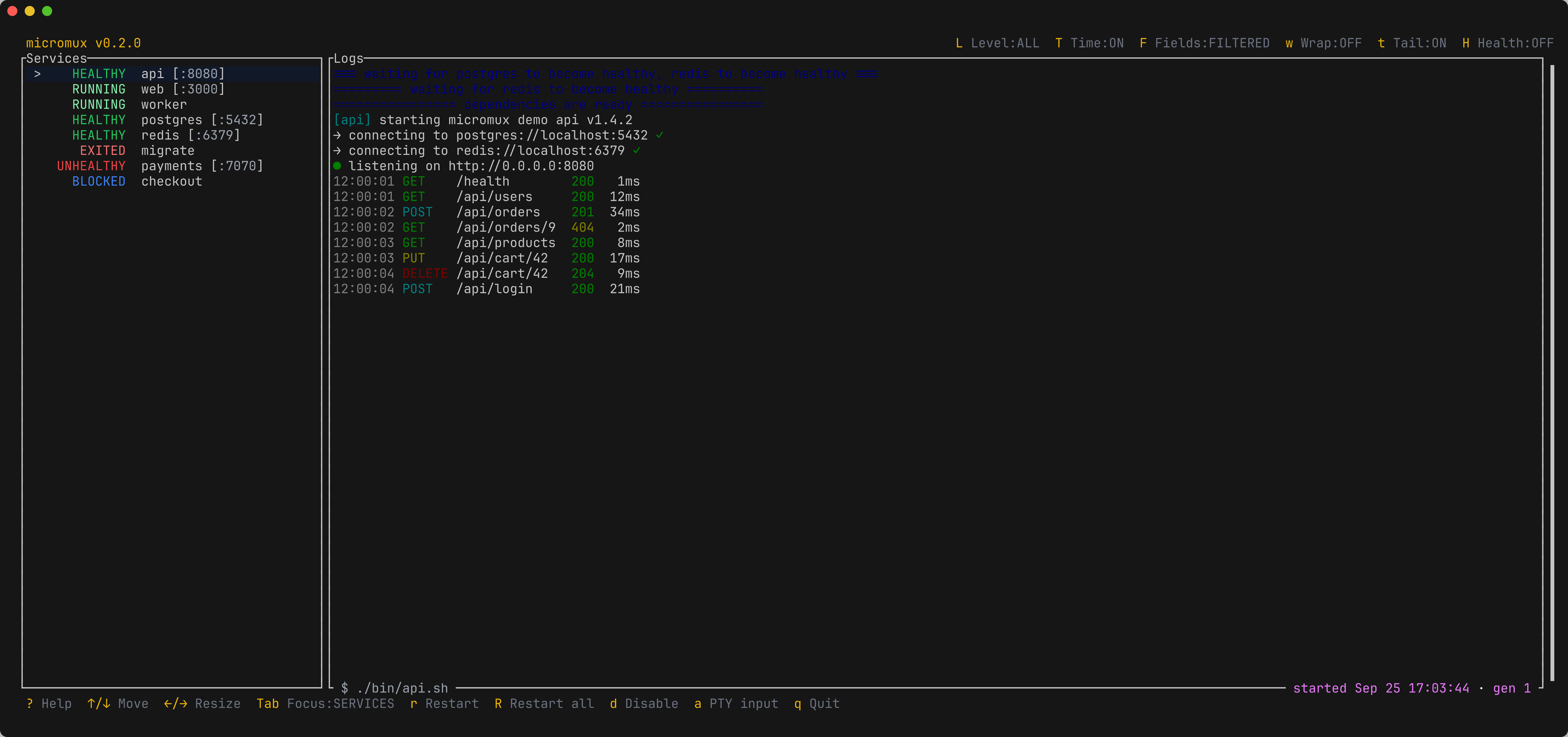




What it does#
A dev stack is rarely one process. It’s an API, a worker, a database, a frontend — each a long-lived command, some depending on others being ready, not merely started. Running them as a wall of tmux panes loses that structure; reaching for Docker Compose brings images, networks, and volumes you don’t want for local work.
micromux runs those commands as host processes and gives them service awareness: a structured lifecycle, dependency and health gating, restart policies, and a single terminal UI to watch and steer them. Because every action goes through one control plane, coding agents can drive the exact same session over MCP.
Service lifecycle
Each process has a tracked state — pending, blocked, starting, running, healthy, unhealthy, exited, disabled — shown in one aggregated sidebar.
Dependencies & health
Gate startup on another service being started, healthy, or completed. Compose-style healthcheck probes with timing and retries.
Restart policies
always, unless-stopped, on-failure[:N], or no — set globally and overridden per service.
Agent control (MCP)
An MCP server exposes the same control plane the TUI uses, so agents list services, read logs, and restart through supervised semantics.
Example#
# micromux.yaml
version: "1"
services:
  api:
    command: ["sh", "-c", "./run-api"]
    ports: [8080]
    depends_on:
      - name: postgres
        condition: healthy
    healthcheck:
      test: ["CMD-SHELL", "curl -fsS http://localhost:8080/health || exit 1"]

  postgres:
    command: "postgres -D ./pgdata"
    healthcheck:
      test: ["CMD-SHELL", "pg_isready -q"]
# Install
brew install --cask romnn/tap/micromux # or: cargo install --locked micromux-cli
# Run the stack from a directory containing micromux.yaml
micromuxDocumentation#
- Introduction and Installation.
- Quick start — a first config, a first run, and how to read the UI.
- Configuration — services, dependencies, healthchecks, restarts, and logs.
- The terminal UI — panes, keys, sending input, and attaching to a running session.
- Agent control — the MCP server, the control plane, and runtime services.